Done by an administrator.
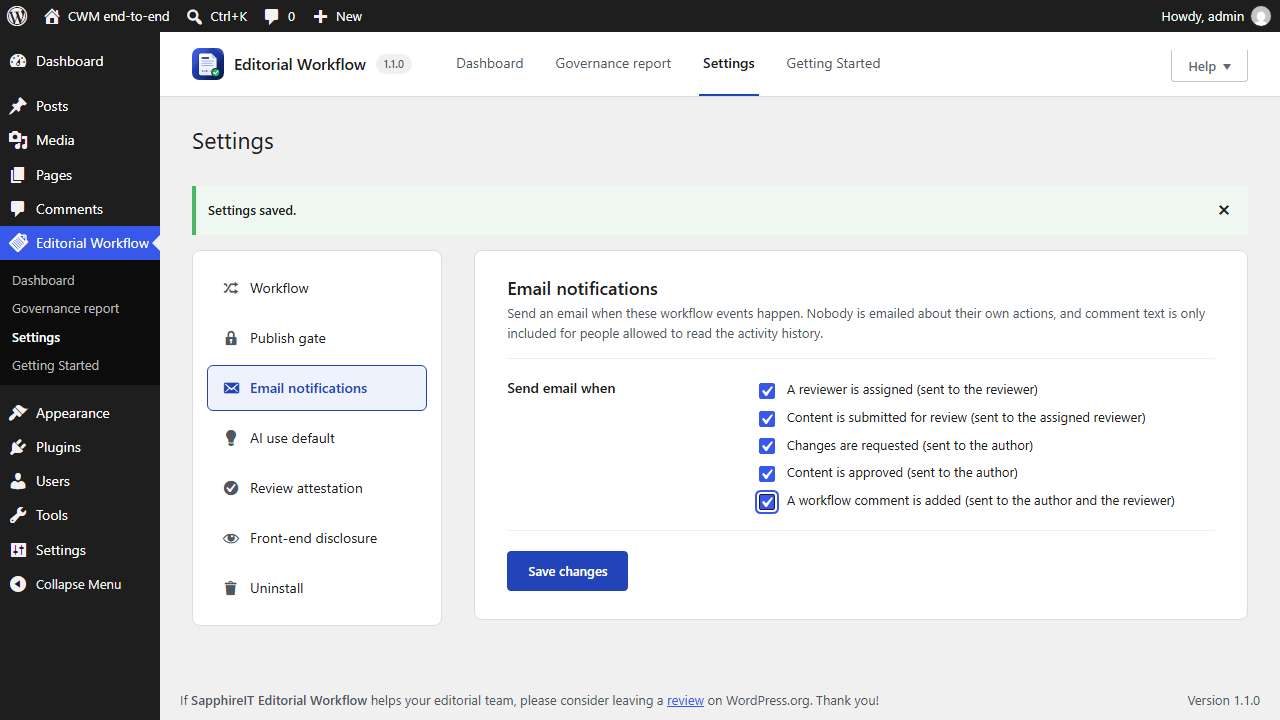
- Go to Editorial Workflow  Getting Started. This page lists the setup steps and links to help.
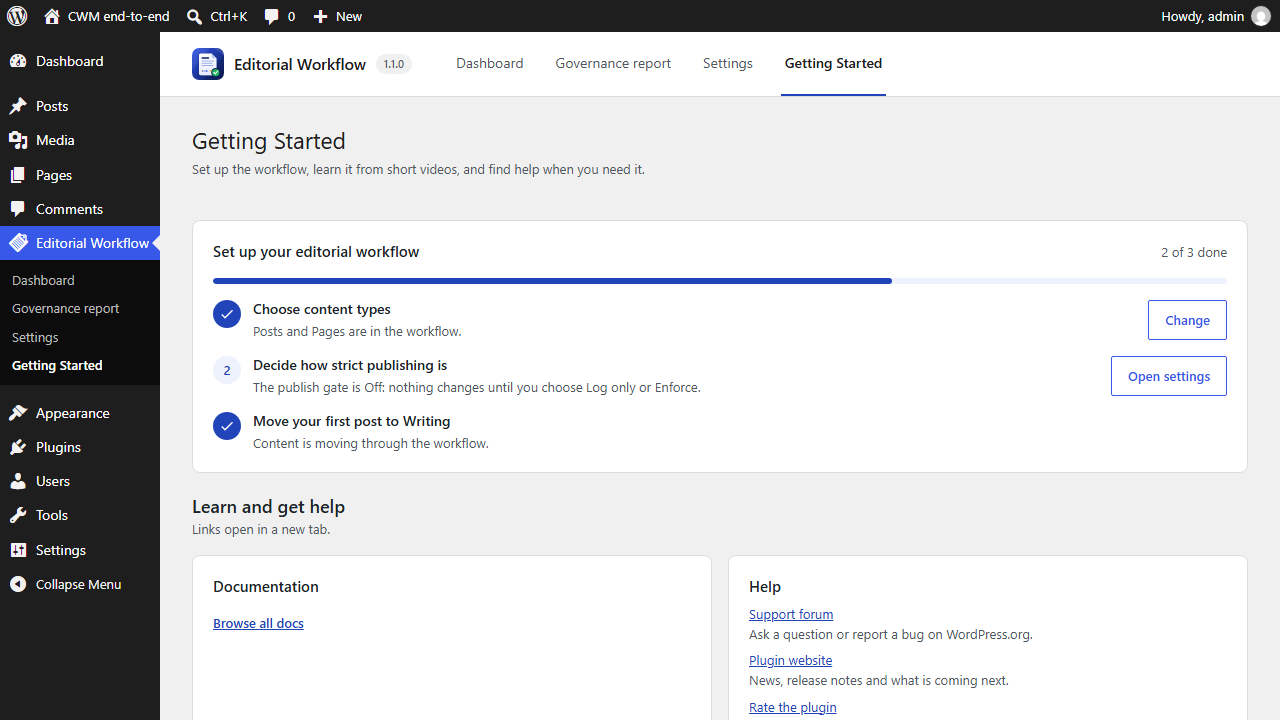
- Go to Editorial Workflow  Settings and open the Workflow tab. Under Enabled content types, tick each type that should go through the workflow. Posts and Pages are ticked by default.
- Tick Prevent people from approving their own content. With this on, someone other than the author has to approve each post. This applies to administrators too.
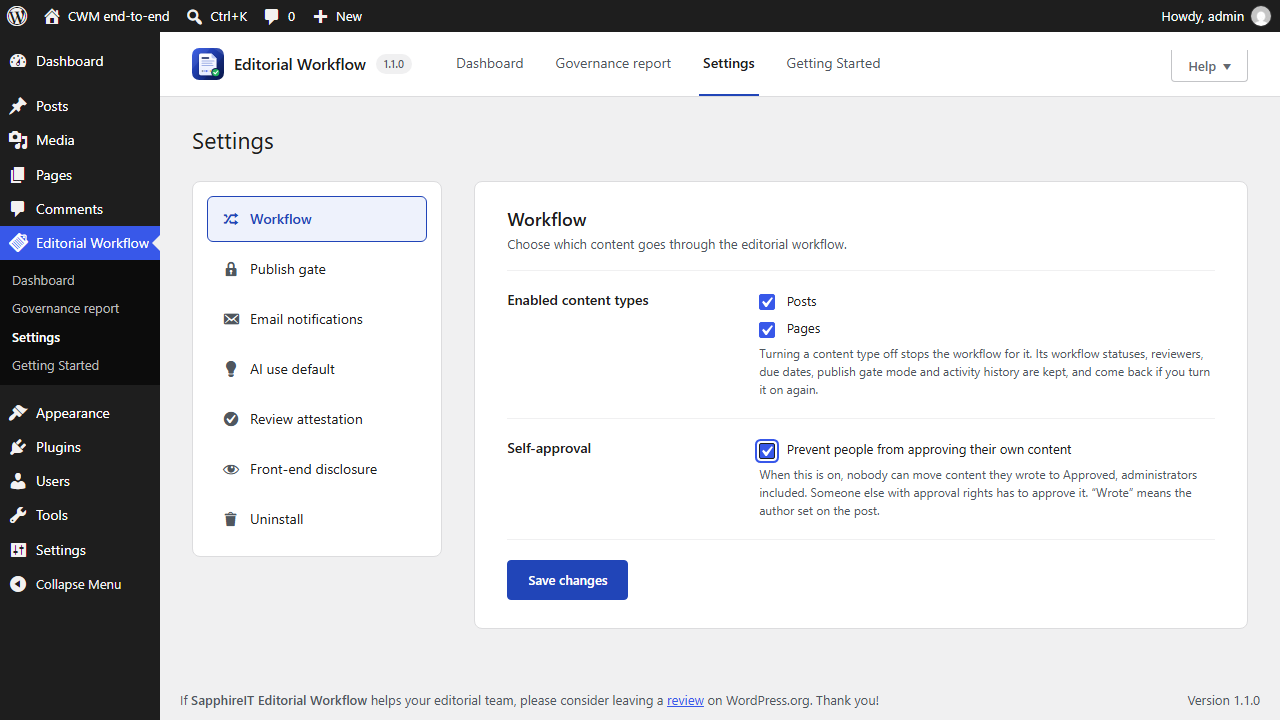
- Open the Publish gate tab and set Posts to Enforce. On Enforce, a post cannot be published until it is approved. Log only lets people publish but records every publish that skipped approval. Off changes nothing.
- Click Save changes.
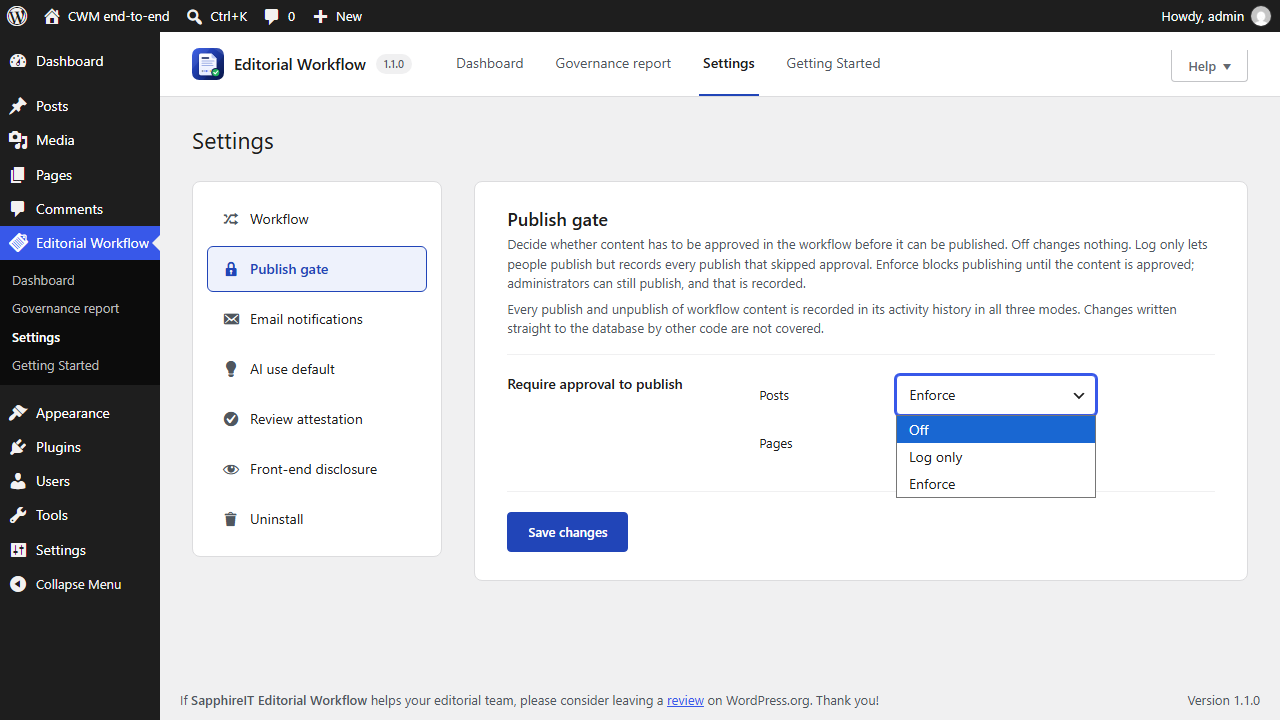
- Open the Email notifications tab and tick the events that should send email: a reviewer is assigned, content is submitted for review, changes are requested, content is approved, and a comment is added. Nobody gets an email about their own actions.
- Click Save changes.