Pro. Slack and Teams alerts need Editorial Workflow Pro, with the free plugin version 1.2.0 or later.
Send chosen events to Slack incoming webhooks and Teams Workflows webhooks. Pro sends titles and status only. Comment text is never sent.
Get a webhook URL
- Slack: “Create an incoming webhook in your Slack app and paste its URL.” The URL must start with
https://hooks.slack.com/services/orhttps://hooks.slack.com/triggers/. - Microsoft Teams: “In Teams, add the Workflows template ‘Post to a channel when a webhook request is received’ and paste its URL.” The URL must be on a
logic.azure.comorpowerplatform.comaddress. Office 365 connectors are retired, so their URLs are not accepted.
Any other address is refused with “This is not a webhook URL for this type of channel.” Only https is accepted.
Add a channel
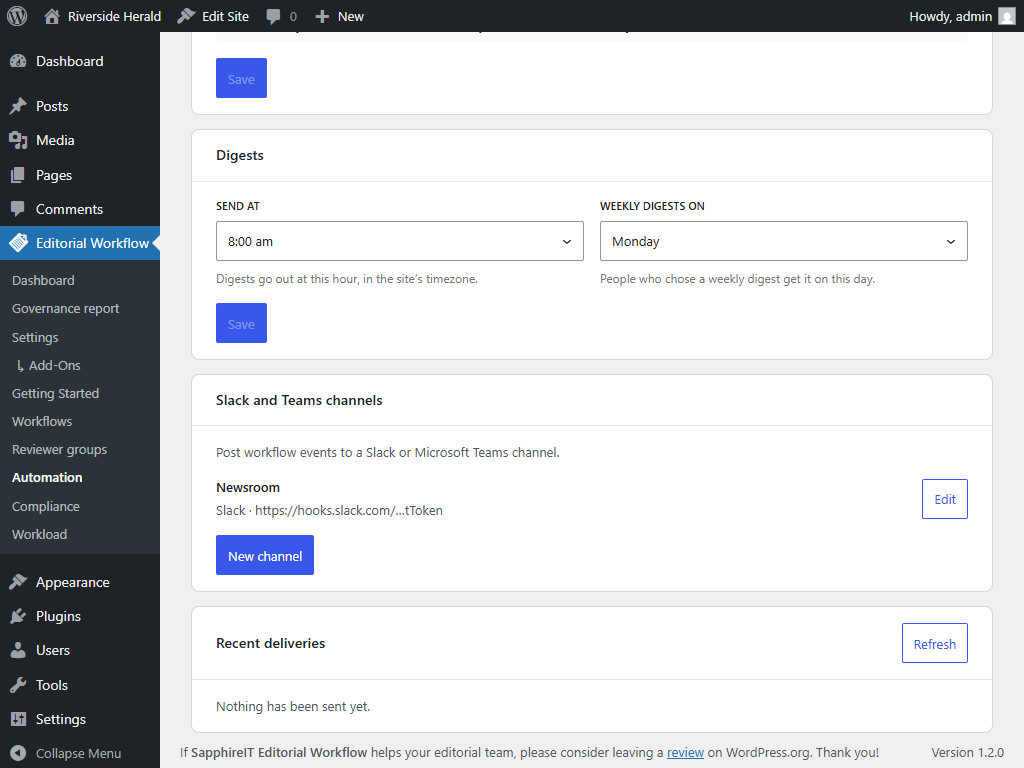
- Go to Editorial Workflow  Automation. Under Slack and Teams channels, click New channel.
- Choose the Service: Slack or Microsoft Teams.
- Enter a Name, such as the channel’s name in Slack.
- Paste the Webhook URL.
- Tick the Events this channel hears about.
- Tick the Post types it covers. A channel gets messages only for the post types you tick.
- Click Save.
- Click Send test message. The result shows as “Sent (HTTP 200)” or “Failed (ÔǪ)”. If you changed the URL, save it first: “Save the new webhook to test it.”
A site can have up to 10 channels. After saving, the URL is shown shortened (for example https://hooks.slack.com/tToken). To change it, paste a new one; leave the field empty to keep the stored URL.
Events
| Event | Message |
|---|---|
| Status changed | [Person] moved “[title]” to [status] |
| Reviewer assigned | [Person] assigned “[title]” to [reviewer] |
| Comment added | [Person] commented on “[title]” |
| Published | “[title]” was published |
| Publishing blocked | Publishing “[title]” was blocked: it is not approved |
| Published without approval | “[title]” was published without approval |
| Reminder | Reminder: “[title]” is due [date] |
| Review escalated | “[title]” was escalated to [reviewer] |
The title links to the post in the editor. A second line shows the event, the status and the site name. “Comment added” says only who commented: the comment itself is never sent.
Recent deliveries
Recent deliveries lists “The latest messages sent to your channels, and how each one went”: Delivered, Failed, will retry or Failed, with the HTTP status. Click Refresh to update it. The list keeps the last 100 attempts and never shows a webhook URL.
Messages are sent in the background, not while someone saves a post. A failed message is tried again after 1 minute, 5 minutes and 30 minutes, then given up. Pro waits up to 5 seconds for an answer and does not follow redirects.
Delete a channel
Open the channel and click Delete. “Messages waiting to be sent to it are dropped. The delivery log keeps its entries.”
For developers
The filter sit_cwm_pro_channel_message (array $message, string $event, int $post_id, array $channel) “Changes a Slack or Teams message before it is formatted. $message has the keys site, title, status_label, actor, reviewer, date, url and event_label, with the sentence in text. Everything in it goes to an external service.”
Without an active licence
Slack and Teams pause. Messages from that time are dropped, not sent later. You cannot change channels until a licence is active.