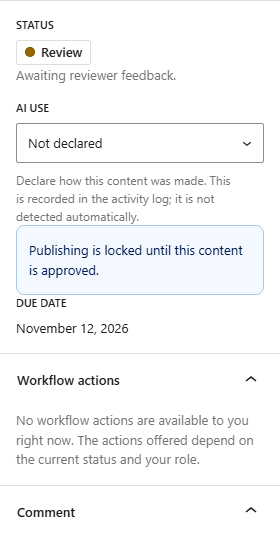
Sam writes, Alex assigns the review, then Sam submits.
- Sam creates a post in the block editor, adds a title and some text, and clicks Save draft.
- Sam opens the Editorial Workflow panel from the editor’s top bar. The post is at Draft. The panel also says that publishing is locked until the post is approved, because the gate is on Enforce.
- Sam clicks Move to Writing.
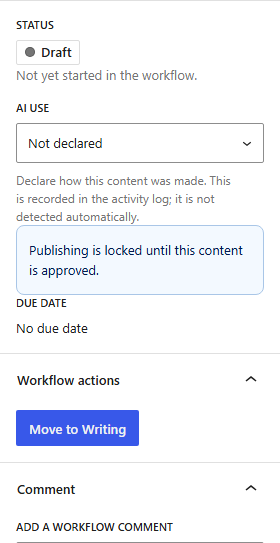
- Alex opens the same post. In the panel, Alex picks Dana Okafor under Reviewer. Then Alex clicks the due date, which shows No due date at first, and picks a day in the calendar.
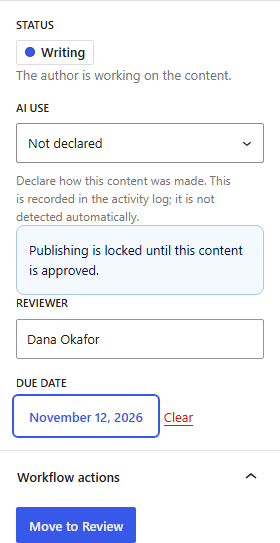
- When the draft is ready, Sam clicks Move to Review. Dana gets an email that the post is waiting for review. Authors cannot approve, so Sam has no more workflow actions for now.